
Pago de facturas Colombina
How does a Colombina customer pay an invoice?
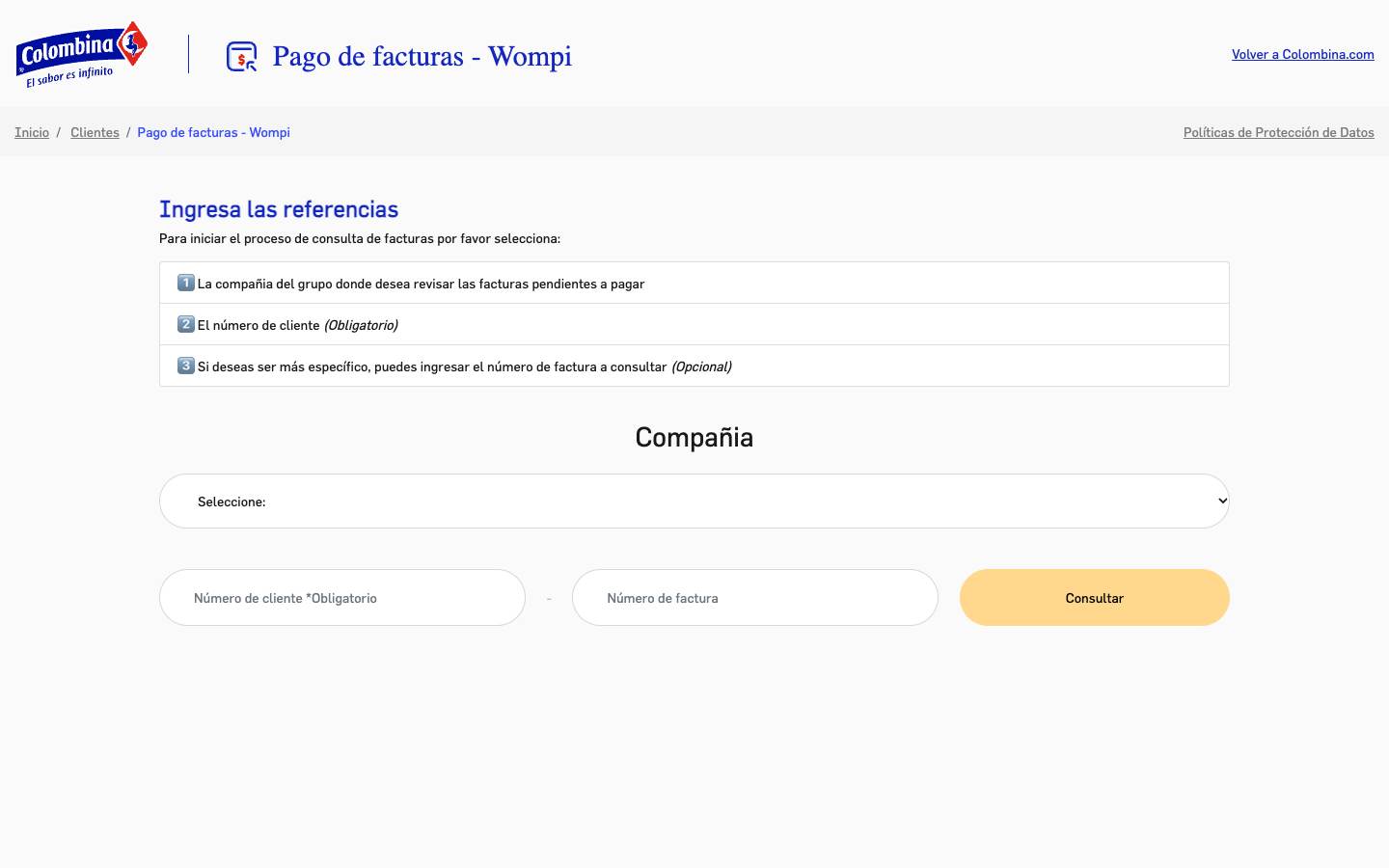
Invoice payment is Colombina’s checkout: customers who buy from the group enter their company and customer number, then go on to pay. We integrated the Wompi payment gateway inside the brand, so customers always know they are paying Colombina.
Screens
- What we heard
- Someone paying several of the group’s companies makes mistakes if the form looks like a campaign or a third-party site.
- What we recommend
- Reuse Flama and the portal’s blue. Drop the video and the catalog. Three fields, in order. A clear link back to colombina.com.
Reading
01
Looks like Colombina, works like a checkout
The brand colors keep the payment from looking like a third party. The page is a form, the policies, and a way back.
02
Three fields, in order
Company, customer, and optionally the invoice. That order cuts down errors for people paying several of the group’s companies.
03
Wompi inside the brand
The gateway is Wompi, but the colors and type are the portal’s.
Decisions
- The person paying recognizes Colombina, not a third party.
- Gray-bordered fields and a lookup button, no banner.
- “Back to Colombina.com” is visible before the form.
On the web
We integrated payments through Wompi so they happen inside the Colombina brand.
Python integration with the Wompi payment gateway, and a lookup front end with Colombina’s branding.
Visibility
A single-task tool, with a link back to the Colombina portal.
Visit sitePalette
- Colombina blue · #1428BFBrand continuity
- Amber · #FFD78DNotice and status
- Ink · #191919Form text
- Field gray · #DDDDDDBorders
Typography
- FlamaThe same voice as the portal